Instagram Story Downloader
instagram story downloader lets you save public Instagram Stories to your device. Enter a public username or story link to fetch available stories, preview them, and download images or videos for offline viewing. Only stories from public accounts are accessible with this tool.
Supports Reel · Post · Image · Carousel
- Works from a link
- No watermark
- No login needed
JazzGhost is not affiliated with Instagram™ or Meta. We don't host any Instagram content — all rights belong to their owners. Only public content can be accessed.
JazzGhost is free and needs no account and no sign-up. A fair daily limit per visitor keeps it fast for everyone.
What is an Instagram Story Downloader?
An Instagram Story Downloader is a tool that saves a public Story to your device before it disappears. Stories expire after 24 hours, and Instagram offers no way to keep someone else's.
Paste the link to a Story and JazzGhost fetches the media behind it. Photos come back as JPG and videos as MP4 with their original audio, at the highest resolution Instagram serves.
What the tool does
An Instagram Story Downloader is a tool that saves a public Story to your device. Stories vanish after 24 hours and Instagram offers no way to keep someone else's, so a downloader is the only way to hold on to one.
Paste the link to a story and JazzGhost fetches the media behind it. Photos come back as JPG and videos as MP4 with their original audio, at the highest resolution Instagram serves.
How to download a story
A Story is only visible for 24 hours, so saving it quickly matters. Paste the story link and JazzGhost prepares the file for you in three steps.
- 1
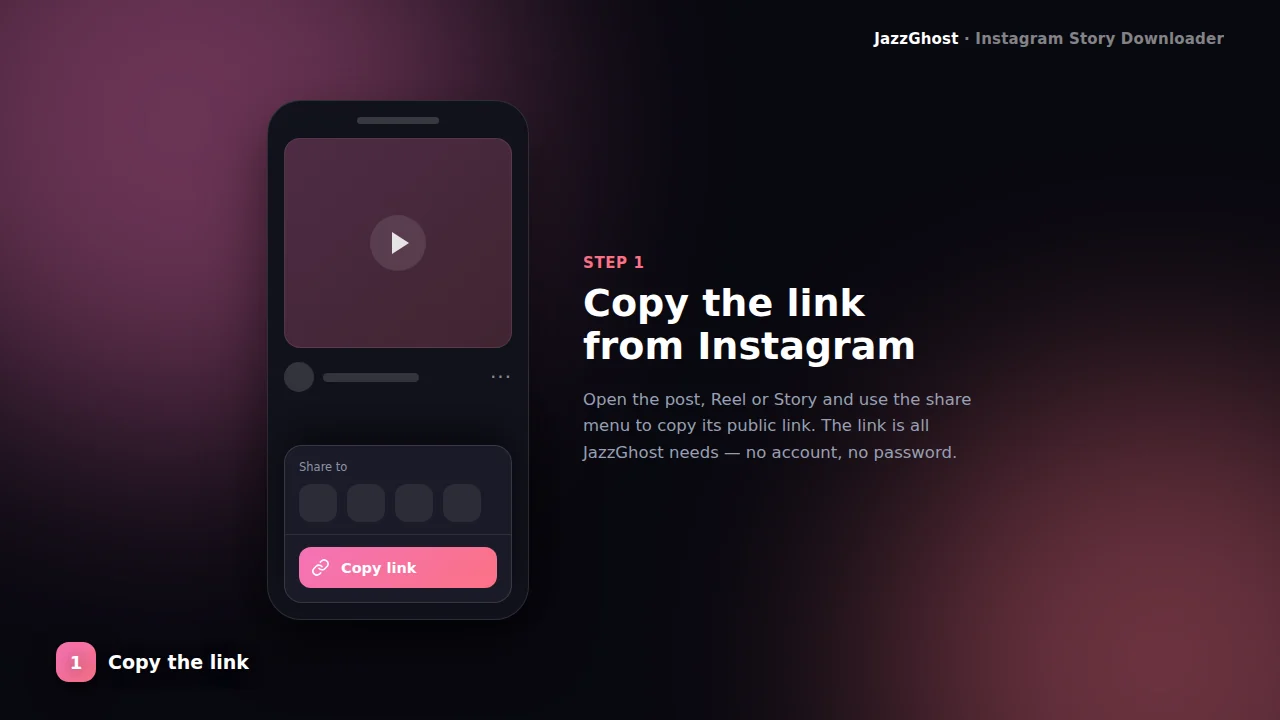
Copy the story link
Open the story and use Share → Copy Link. Links look like /stories/username/STORY_ID/.
- 2
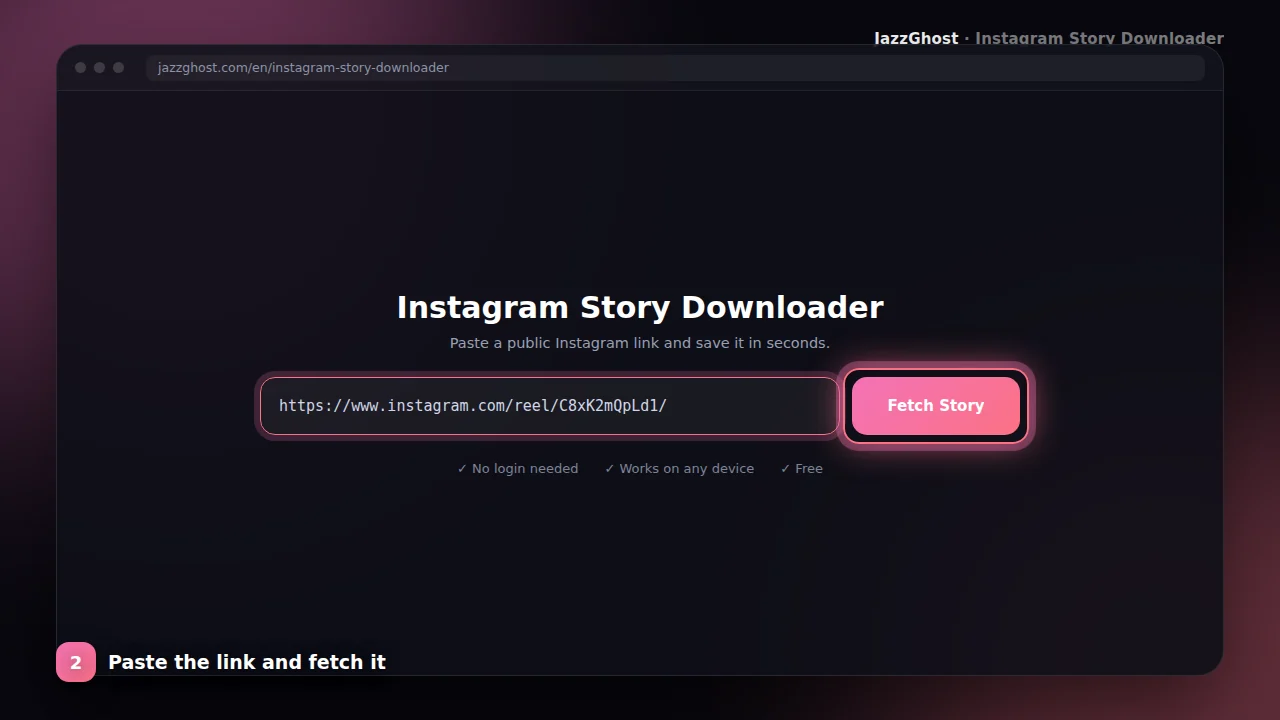
Paste while it is live
Stories expire in 24 hours. Paste the link into JazzGhost quickly and fetch a preview.
- 3
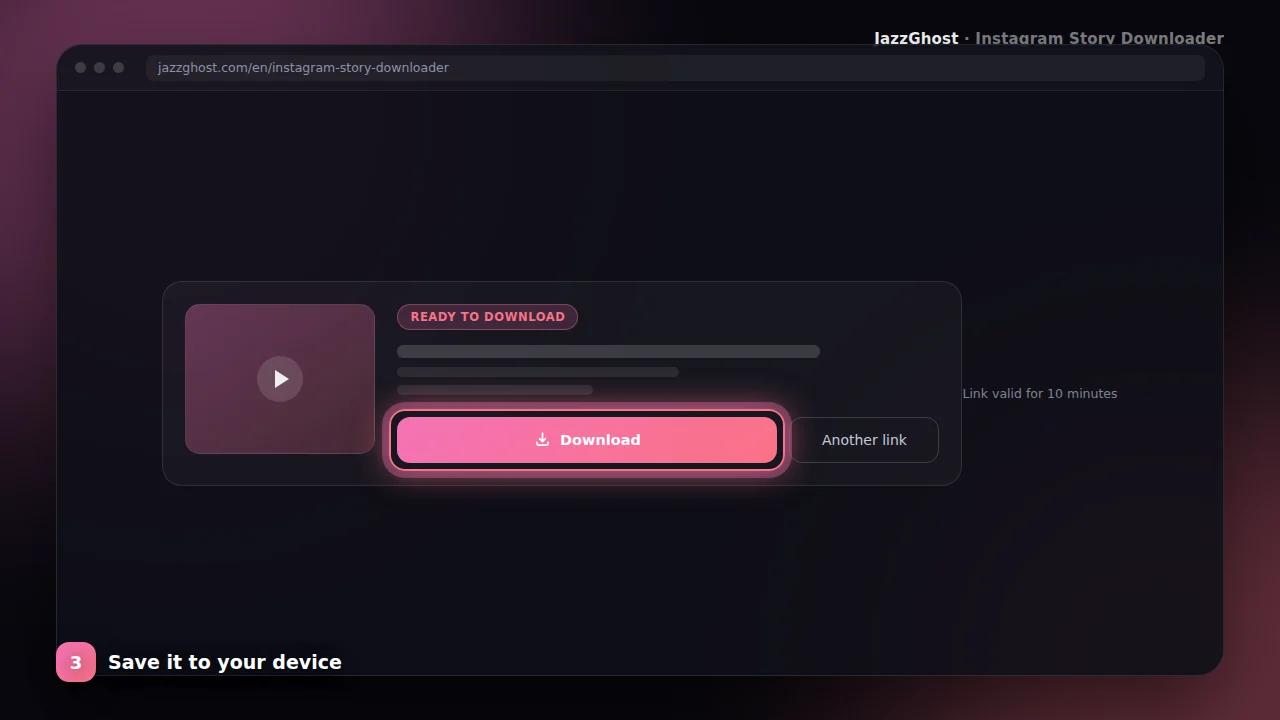
Download the media
Save the story photo or video to your device. For permanent highlight reels, use the Highlight Downloader.
Supported file types
Save a Story from its link
- 1Open the story in Instagram and tap Share → Copy Link.
- 2Paste the link into JazzGhost and tap Fetch Story.
- 3Tap Download to save the photo or video to your device.
Save an Instagram Story on iPhone
- 1Copy the story link inside Instagram.
- 2Open JazzGhost in Safari, paste the link and fetch the story.
- 3Tap Download, then use the Files app and Share → Save Video to move it into Photos.
Save a Story on Android or PC
- 1Copy the story link from the Instagram app or website.
- 2Paste it into JazzGhost and fetch the story.
- 3Tap Download. Android saves to Downloads or your gallery, a PC saves to the Downloads folder.
Keep a Story that has already expired
- 1If the 24 hours have passed, the story link no longer works — that is Instagram's rule, not ours.
- 2Check the account's Highlights instead: saved stories live there permanently.
- 3Use the Instagram Highlights Downloader to open a Highlight and save the stories inside it.
Privacy and safety
Photo & video stories
Supports both still and video story items when the link is valid.
Time-sensitive
Optimized messaging so you know to act before the 24-hour window closes.
Public profiles
Works with publicly available story links — not private accounts.
Highlight alternative
Need lasting highlight reels? Use our Highlight Downloader instead.
What you cannot download
Stories are the most time-limited content on Instagram, and a few cases are simply out of reach:
- Stories older than 24 hours. The link expires by Instagram's own design, and nothing can retrieve it afterwards.
- Stories from private accounts. They are visible only to approved followers, and we do not try to bypass that.
- Stories the owner deleted before they expired, or that Instagram removed.
- A whole account's active stories in one action. This tool works from a single story link.
Downloader, app, or browser extension?
Because a story is available only briefly, speed matters more than convenience here:
| Option | Verdict | Detail |
|---|---|---|
| JazzGhost (browser downloader) | Works from the link | Saves a story in about three taps, needs no account and adds no watermark. Pasting the link is the only extra step. |
| Instagram's own app | No save button | You can keep your own story as a draft, but the app gives you no way to save someone else's. |
| Browser extension | Desktop-only | Extensions generally cannot reach the Instagram mobile app where most stories are viewed, so they are of little help for a story you just watched on your phone. |
Saves a story in about three taps, needs no account and adds no watermark. Pasting the link is the only extra step.
You can keep your own story as a draft, but the app gives you no way to save someone else's.
Extensions generally cannot reach the Instagram mobile app where most stories are viewed, so they are of little help for a story you just watched on your phone.
Troubleshooting common issues
JazzGhost never asks for your Instagram login and never uses your account. The story is fetched by our server, so your name does not appear in the story's viewer list.
Only public accounts work. If an account is private, its stories stay private — we do not try to get around that.
Frequently asked questions
Instagram Stories vanish after a day. JazzGhost’s Story Downloader helps you archive public stories you are allowed to save — for inspiration, news, or personal backups.
You browse JazzGhost in your own browser; we do not require you to log into Instagram on our site. Access to story media still depends on public visibility and valid session cookies on our server.
Always respect privacy and copyright. Do not redistribute someone’s story without permission.
Story downloader FAQ
The story failed — why?
It may have expired, the account is private, or the link format is incomplete. Copy a fresh link while the story is still active.
Can the poster see that I downloaded?
JazzGhost does not use your Instagram account to view the story. Saving is processed on our side from the public link.
Will the person know I saved their Story?
We never use your Instagram account, so your name does not appear in their viewer list. The download happens on our server, not from your profile.
Why can't I see older Stories?
Stories expire after 24 hours by design. If the account saved one into a Highlight, it is still available — use the Instagram Highlights Downloader for that.
Are Stories saved with music and sound?
Yes. A video story is saved as an MP4 with its original audio track, so music and voice-overs come with the file.
What quality are downloaded Stories?
You get the highest resolution Instagram serves for that story, usually 1080×1920 for a full-screen story. No watermark is added.
Can I download Stories from a private account?
No. JazzGhost only works with public accounts. Private stories are visible only to approved followers, and we do not attempt to bypass that.
Is the Story Downloader free?
Yes, it is completely free and needs no account. A fair daily limit per visitor keeps the service fast for everyone.