Instagram Profile Picture Downloader
Paste a public Instagram username and save that account's profile picture as a JPEG. Instagram caps the size it releases to visitors who are not logged in - no app, no account, nothing installed. The exact size is always shown before you download.
Public usernames only - no password required
- Largest public JPEG
- No login needed
- Free forever
JazzGhost is not affiliated with Instagram™ or Meta. We don't host any Instagram content — all rights belong to their owners. Only public content can be accessed.
JazzGhost is free and needs no account. No sign-up, no paywall, no install - and no password is ever requested.
What is an Instagram profile picture downloader?
An Instagram profile picture downloader saves a public account's avatar to your device as an image file instead of a screenshot. Instagram shows the picture but gives you no save button, so a downloader fills that gap.
JazzGhost looks up the public profile by username and returns the picture Instagram itself publishes to visitors who are not logged in. You get a clean file named after the account, with no watermark and no extra compression applied by us.
What counts as an Instagram profile picture?
The profile picture, sometimes called the avatar or the DP, is the round image at the top of an Instagram profile. Instagram stores the full upload but only publishes a reduced version to anyone who is not signed in, which is the version this tool returns.
Because the account owner can change it at any time, an avatar you saved today is a snapshot. If you are archiving a research sample, save the date alongside the file.
The same picture appears in the Instagram Bio viewer we offer, so if you need the biography, the follower counts and the link together with the avatar, that tool returns all four at once.
How to download an Instagram profile picture
The whole job takes about ten seconds. You need the account's public username and nothing else - no Instagram login, no browser extension, no app.
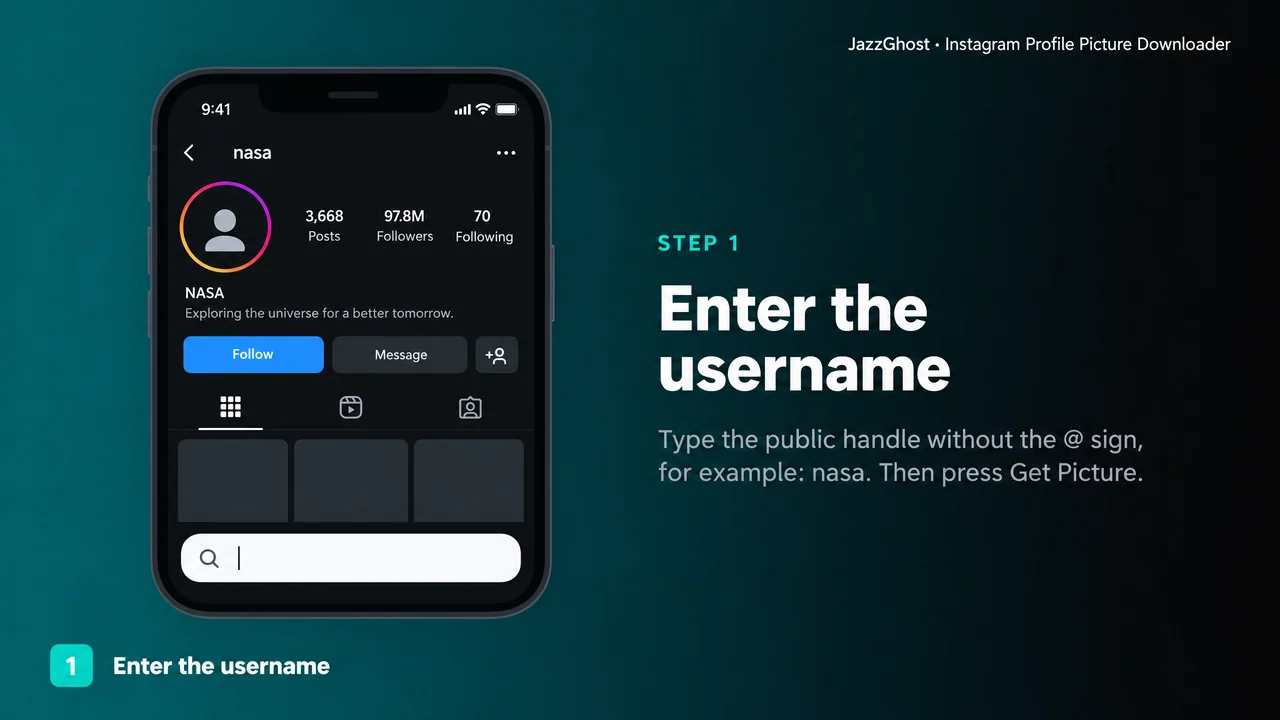
- 1
Enter the username
Type the public handle without the @ sign. For example: nasa.
- 2
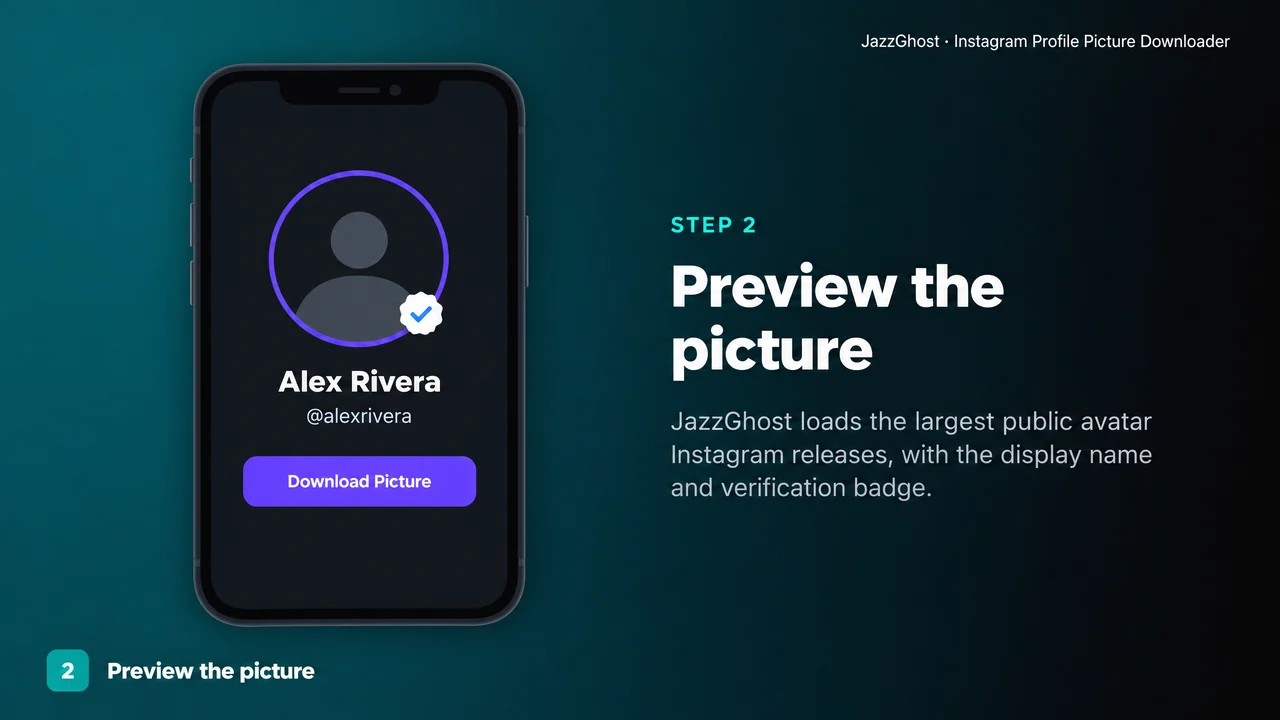
Preview the picture
JazzGhost loads the account's avatar at the largest size Instagram releases publicly, with the display name and the verification badge.
- 3
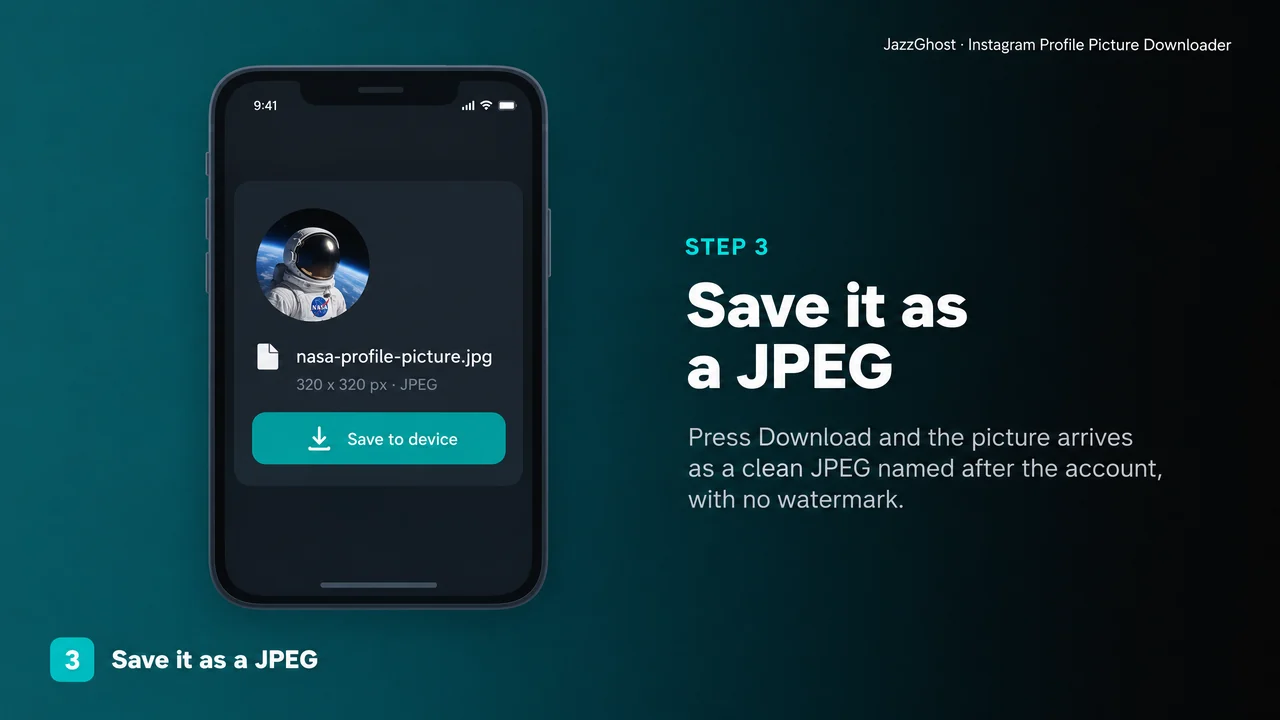
Save it as a JPEG
Press Download and the picture arrives as a JPEG file named after the account. Nothing is watermarked or resized further.
Ways people use it
Build a contact sheet
A folder of saved avatars is easier to scan than a list of handles.
- 1Collect the usernames you need in one place.
- 2Download each picture here; files arrive named after the account.
- 3Drop the folder into any contact-sheet tool or slide deck.
Use an avatar in a mockup
Design work needs a face at a real size, not a screenshot.
- 1Look up the account and confirm the picture is the one you want.
- 2Download the JPEG.
- 3Place it at its native width without it going soft.
Keep an offline record
For journalism or brand monitoring, the avatar is part of the record.
- 1Save the picture, not a screenshot - a screenshot carries your own UI.
- 2Note the date, since the owner can replace it at any time.
- 3Store it next to your notes for that account.
What you get
Largest public JPEG
The largest size Instagram releases to visitors who are not signed in.
No login needed
You never connect an Instagram account and no password is asked for.
Named file
Saves as <username>-profile-picture.jpg, so a folder of avatars stays readable.
Works on mobile
Runs in any browser, including Safari on iOS and Chrome on Android.
What this tool will not do
Being clear about the edges saves everyone time, and it is the difference between a tool you can trust and one that quietly fails.
- It cannot reach private accounts. Their picture is not published to logged-out visitors at all.
- It cannot fetch the original upload. Instagram caps the size it releases publicly; anything claiming the original without a login is not being honest with you.
- It cannot go back in time. If the owner changed the picture, you get the current one, not the previous one.
- It does not notify the owner, and it does not need - or accept - your Instagram password.
Downloader vs app vs screenshot
There are three usual ways to keep an avatar. Two of them have a hidden cost worth knowing before you pick.
| Option | Verdict | What to know |
|---|---|---|
| Browser downloader (JazzGhost) | Nothing to install | Works in any browser on phone or desktop and saves a clean, correctly named JPEG - though it stops at the size Instagram publishes publicly. |
| Screenshot the profile | Instant, but lossy | No tool needed at all, but you capture your own interface, a phone-shaped crop and screen resolution rather than the actual image file. |
| Third-party app | Convenient, then not | An app can add shortcuts, but it needs installation, often an account and permissions, and many stop working the moment Instagram changes its private endpoints. |
Works in any browser on phone or desktop and saves a clean, correctly named JPEG - though it stops at the size Instagram publishes publicly.
No tool needed at all, but you capture your own interface, a phone-shaped crop and screen resolution rather than the actual image file.
An app can add shortcuts, but it needs installation, often an account and permissions, and many stop working the moment Instagram changes its private endpoints.
Privacy and fair use
This tool reads a public profile page the same way your browser would. No Instagram account is connected, no password is requested, and no notification reaches the owner.
Only public accounts can be read. A private account returns nothing to a logged-out visitor, so its picture cannot be fetched here.
A profile picture belongs to the person who uploaded it. Saving it for reference or research is one thing; republishing it as your own or using it to impersonate someone is not, and is not something this tool is intended for.
What this tool does
The Instagram Profile Picture Downloader turns a public username into a saved image file. It is the fastest way to keep an avatar for a contact sheet, a design mockup, a research file or an offline archive.
It reads only what Instagram already publishes to logged-out visitors: the avatar, the display name and whether the account is verified.
Need the bio text as well? Our Instagram Bio viewer returns the biography, follower counts and link alongside the same avatar.
Profile picture questions
Why is the picture not the original size?
Instagram only hands out a reduced version to visitors who are not logged in. The larger sizes sit behind a signed URL that the CDN refuses to serve anonymously, so the size shown on this tool is the honest maximum. It is sharp enough for avatars, contact sheets and mockups.
Can I download a private account's profile picture?
No. Private accounts return nothing to a logged-out visitor, so this tool cannot show or save their picture.
Is it free, and do I need to sign up?
Both free and anonymous. There is no account, no paywall and no install.
Will the account owner know I downloaded their picture?
No. The tool reads a public page once, exactly like opening the profile in a browser. No notification is sent and nothing is posted.
What file do I get?
A standard JPEG named after the account, ready for any phone, laptop or design tool.
Can I download a profile picture in full resolution?
Not anonymously. Instagram publishes only a reduced version to logged-out visitors and keeps the larger versions behind a signed URL the CDN will not serve without a session, so the size this tool reports is the honest maximum it can offer.
Do I have to type the @ symbol?
No. Enter the handle with or without the @ - nasa and @nasa both work.
Does it work for accounts with millions of followers?
Yes. Large verified accounts behave exactly like small ones; the same public lookup returns the same fields.