Instagram Highlight Downloader
The instagram highlight downloader lets you save public Instagram Highlights to your device. Enter the highlight link, choose the format, and download a copy for offline viewing; only public highlights can be saved and private content is not accessible.
Supports Reel · Post · Image · Carousel
- Stories that stay
- No watermark
- No login needed
JazzGhost is not affiliated with Instagram™ or Meta. We don't host any Instagram content — all rights belong to their owners. Only public content can be accessed.
JazzGhost is completely free, with no account and no sign-up. A fair daily limit per visitor keeps the service fast.
What is an Instagram Highlights Downloader?
An Instagram Highlights Downloader is a tool that saves the stories kept inside a public profile's Highlight. A Highlight is a permanent collection: unlike a live story it does not expire, so its contents stay available for as long as the owner keeps them.
Paste the Highlight link and JazzGhost lists every story it contains, each with its own download button. Photos come back as JPG and videos as MP4 with their original audio.
Supported sources and formats
An Instagram Highlights Downloader is a tool that saves the stories collected in a public Highlight. Highlights sit on the profile permanently, so they are the way to reach stories that have already expired from the 24-hour window.
Open a Highlight in Instagram, copy its link, and paste it here. JazzGhost fetches the stories inside and gives you each one as a JPG or MP4 in the resolution Instagram serves.
How to download a highlight
Highlights are the stories an account chose to keep. Paste the link to a Highlight and JazzGhost lists the stories inside it so you can save them.
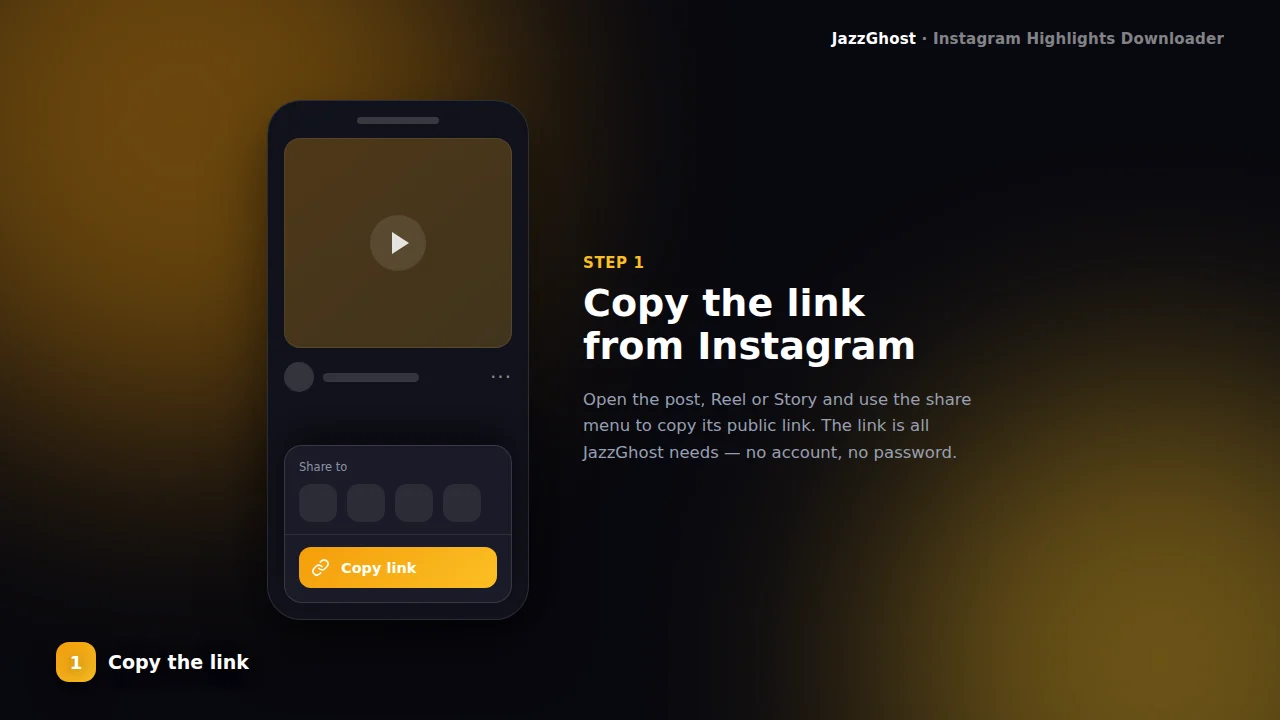
- 1
Open the highlight
On a public profile, open the Highlight circle and copy the link (often /stories/highlights/ID/).
- 2
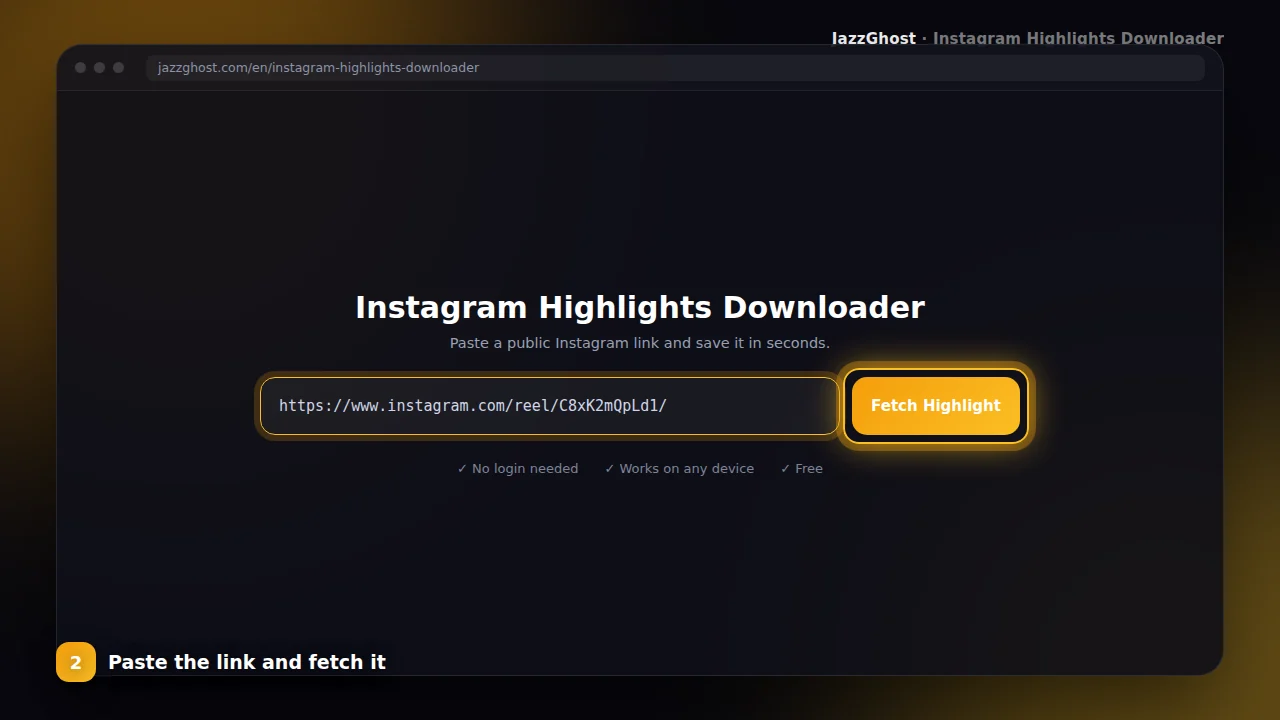
Paste into JazzGhost
Paste the highlight URL above and fetch. We load the highlight media for preview.
- 3
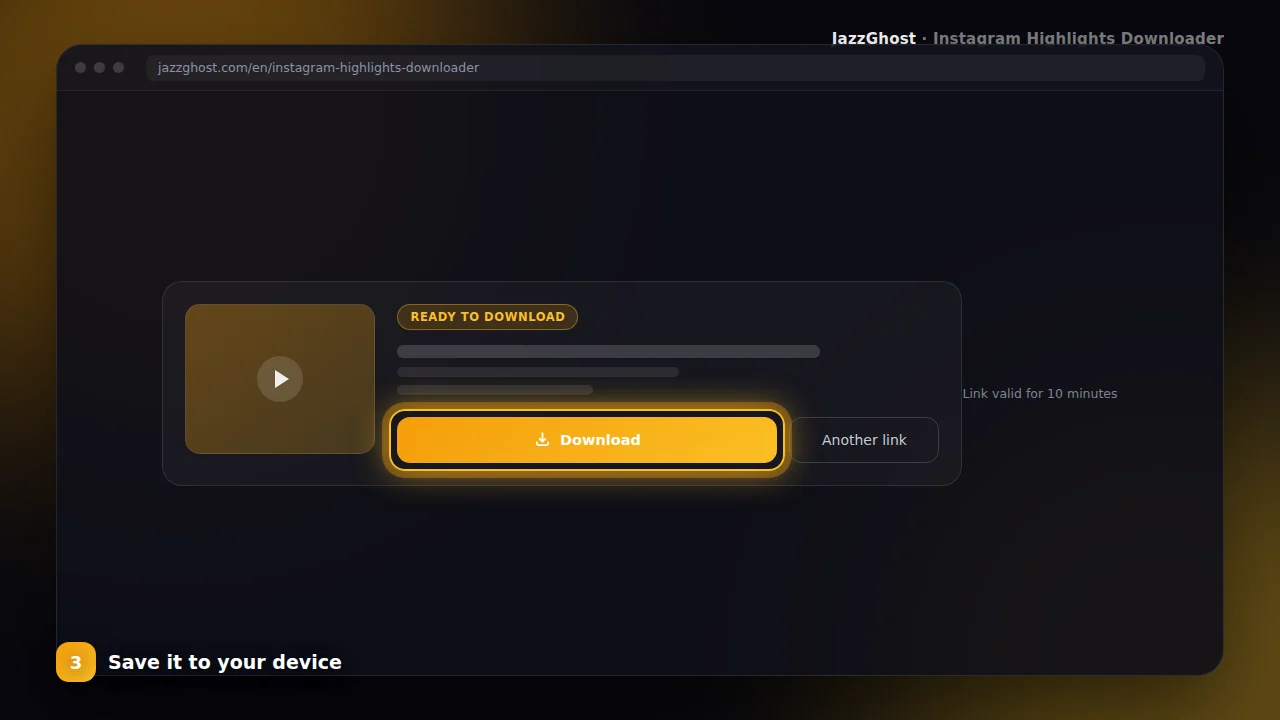
Download the clips
Save the highlight items to your device — useful for brand kits, travel boards, and archives.
Privacy and safety information
Save the stories inside a Highlight
- 1Open the Highlight on the profile and copy its link.
- 2Paste the link into JazzGhost and tap Fetch Highlight.
- 3Download the story you want, or save the whole set together.
Save Highlights on iPhone
- 1Copy the Highlight link from Instagram.
- 2Open JazzGhost in Safari and fetch the Highlight.
- 3Tap Download and move the file from Files into Photos with Share → Save Video.
Save Highlights on Android or PC
- 1Copy the Highlight link.
- 2Paste it into JazzGhost and fetch the Highlight.
- 3Tap Download — the file goes to your Downloads folder or gallery.
What to do when a Highlight looks empty
- 1Check the Highlight in Instagram first — some Highlights are empty because every story inside has been deleted.
- 2If the stories are gone from Instagram, no tool can recover them.
- 3If they are still visible in the app but not here, refresh the page and try the link again.
Common errors and fixes
Highlight URL support
Recognizes /stories/highlights/ links used by Instagram for pinned reels.
Multi-item highlights
Fetches the media items inside the highlight when available.
Public profiles
Requires publicly accessible highlight content.
Same JazzGhost flow
Preview and download with the familiar JazzGhost interface.
What you cannot download
Highlights are more stable than stories, but they still have limits:
- Highlights on private accounts. They are visible only to approved followers, and we do not attempt to get around that.
- A whole profile's Highlights in one action. This tool works from a single Highlight link.
- Highlights the owner has deleted or hidden from the profile.
- Stories inside a Highlight that Instagram removed after a rights or policy complaint.
Downloader, app, or browser extension?
A Highlight can hold dozens of stories, so how each option handles a whole set matters:
| Option | Verdict | Detail |
|---|---|---|
| JazzGhost (browser downloader) | Lists every story | Shows all the stories in the Highlight and lets you take one or the set. Free, no account, nothing installed. |
| Instagram's own app | No save button | Works only for your own Highlights; there is no way to save someone else's. |
| Browser extension | One at a time | Can capture what is on screen, but walking through a long Highlight in a desktop browser is slow, and it installs software with page access. |
Shows all the stories in the Highlight and lets you take one or the set. Free, no account, nothing installed.
Works only for your own Highlights; there is no way to save someone else's.
Can capture what is on screen, but walking through a long Highlight in a desktop browser is slow, and it installs software with page access.
Tips for saving highlights
JazzGhost never asks for your Instagram password and never uses your account. The Highlight is read by our server, so nothing is recorded against your profile.
Only public Highlights can be read. Private accounts and restricted media stay out of reach, and we do not store the files you download.
Frequently asked questions
Highlights are curated stories pinned to a profile. Unlike 24-hour stories, they remain until the owner removes them — perfect for portfolios, menus, and brand moments.
JazzGhost’s Highlight Downloader focuses on highlight URLs so instructions and validation stay accurate. Use the Story Downloader for ephemeral /stories/username/ links.
Only download content you have rights to use. Highlights often showcase original creative work.
Highlight downloader FAQ
Highlight vs Story — which tool?
Use Highlight for /stories/highlights/… links. Use Story for temporary /stories/username/… links.
Why is my highlight empty?
The owner may have deleted items, restricted visibility, or the link may be outdated. Try copying a fresh link.
What is the difference between a Story and a Highlight?
A Story disappears 24 hours after it is posted. A Highlight is a story the account chose to keep on their profile permanently. If a story has expired, look for it in a Highlight.
Will the account owner know I downloaded their Highlight?
We never use your Instagram account, so your name does not appear in any viewer list. The download happens on our server, not from your profile.
Can I download Highlights from a private account?
No. JazzGhost reads public content only. A private account's Highlights are visible just to approved followers, and we do not attempt to bypass that.
Why is a Highlight empty or missing?
Usually because the stories inside were deleted, or because the Highlight itself was removed from the profile. If Instagram cannot show it, no downloader can either.
Can I save the Highlight cover image?
The cover is part of the Highlight, so the first item JazzGhost lists is the one you can save. For a full-size profile picture, use the Instagram Bio Viewer instead.
Is the Highlights Downloader free?
Yes, it is completely free and needs no account. A fair daily limit per visitor keeps the service fast for everyone.