Instagram Reels Downloader
Instagram reels downloader lets you save public Reels to your device. Use the tool to paste a Reel link and download the video for offline viewing; note that only public content can be downloaded and private posts are not accessible.
Supports Reel · Post · Image · Carousel
- HD MP4 with sound
- No watermark
- No login needed
JazzGhost is not affiliated with Instagram™ or Meta. We don't host any Instagram content — all rights belong to their owners. Only public content can be accessed.
JazzGhost is completely free, with no account and no sign-up - you paste a link and download. A fair daily limit per visitor keeps it fast for everyone.
What is an Instagram Reels Downloader?
An Instagram Reels Downloader is an online tool that saves a public Reel to your device as a video file you can keep and watch offline. Instagram plays Reels but gives you no button to keep one, so a downloader fills that gap.
JazzGhost reads the public Reel page, finds the video file Instagram is already serving, and hands it to your browser as an MP4. You get the highest resolution Instagram serves for that Reel - usually up to 1080p - with the original audio track and no watermark added by us.
Supported formats and sizes
An Instagram Reels Downloader is an online tool that saves a public Reel to your own device as a video file. Instagram lets you watch and share Reels but gives you no button to keep one, so a downloader fills that gap.
JazzGhost reads the public Reel page, finds the video file Instagram is already serving, and hands it to your browser. You get an MP4 in the highest resolution Instagram makes available for that Reel — usually up to 1080p — with the original audio track and without a watermark.
How to download a Reel
Saving a Reel takes three steps and works on every device. You only need the public link to the Reel — nothing else, and no Instagram login.
- 1
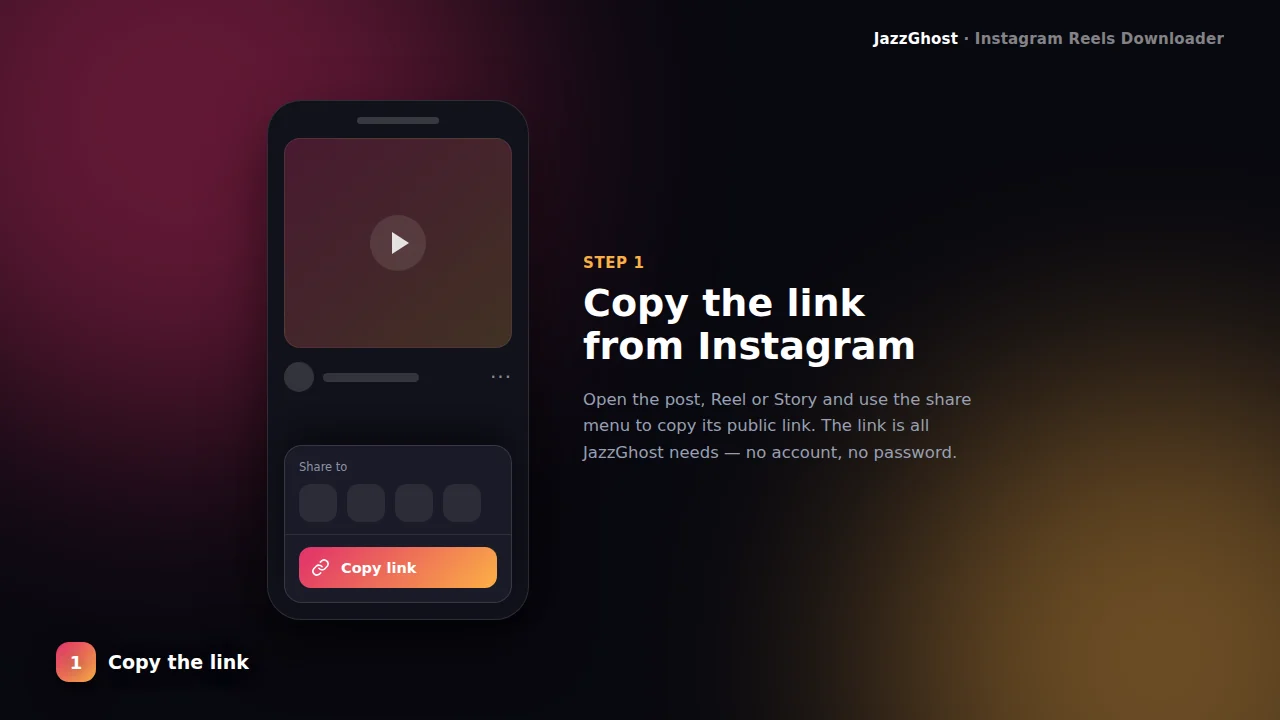
Copy the Reel link
Open Instagram, open the Reel, tap Share → Copy Link. You need a public /reel/ or /reels/ URL.
- 2
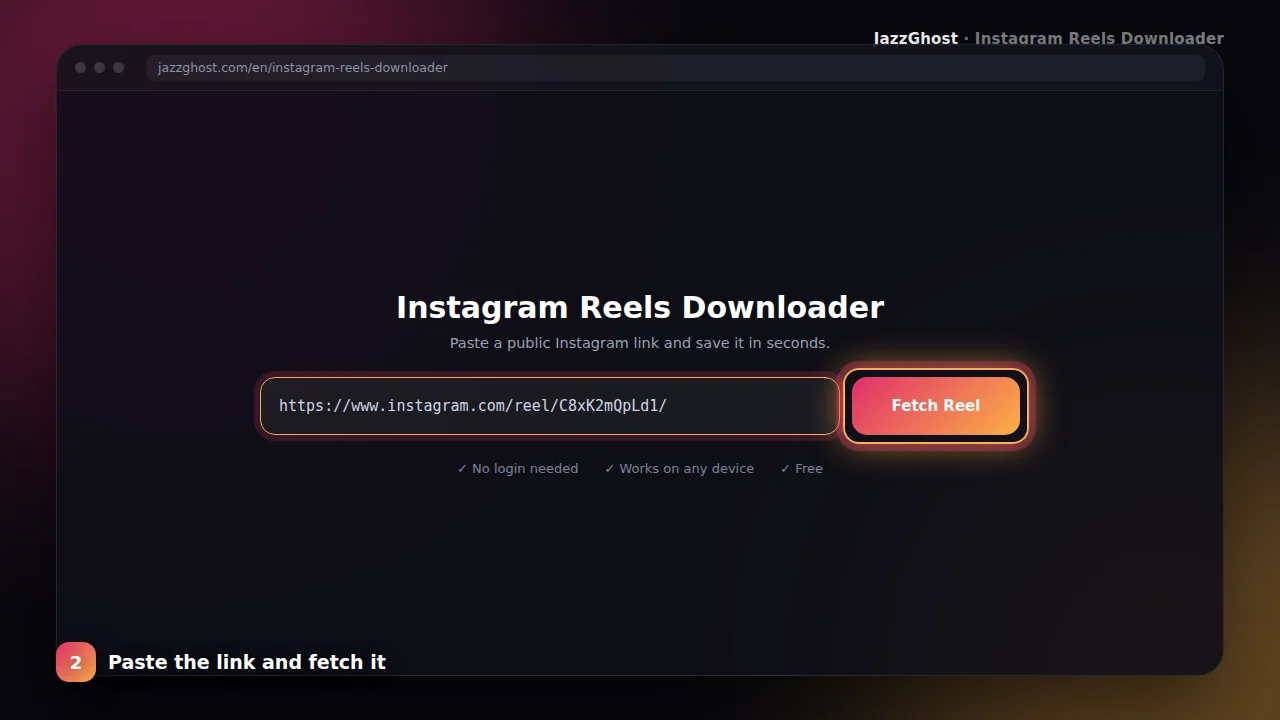
Paste it here
Paste the link into the box above and tap Fetch Reel. JazzGhost loads a preview so you confirm the right video.
- 3
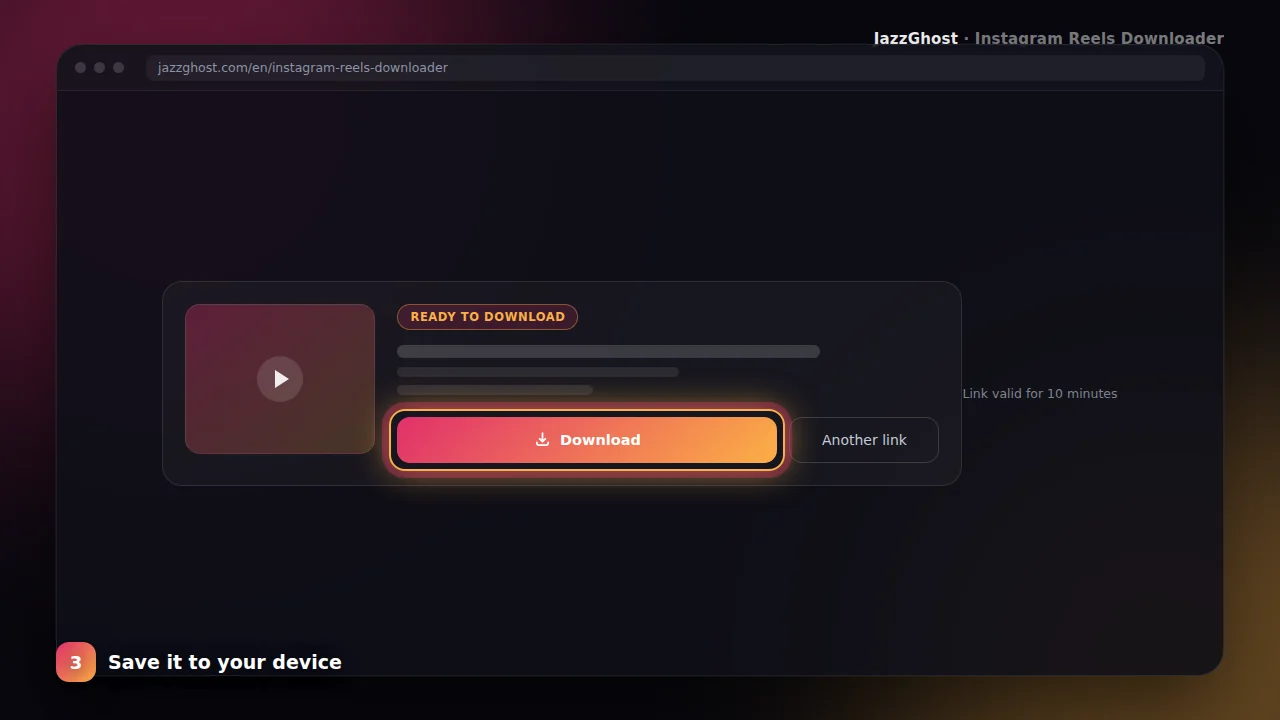
Download the MP4
Tap Download to save the Reel to your device in high quality. Works on phone, tablet, and desktop.
Downloading from public accounts
Save a Reel on iPhone to your Photos
- 1Open Safari and paste the Reel link into the box above.
- 2Tap Fetch Reel, then tap Download.
- 3Safari saves the file to Downloads. Open the Files app, tap the video, then Share → Save Video to add it to Photos.
Save a Reel on Android
- 1Open the Reel in the Instagram app and tap Share → Copy Link.
- 2Paste the link into JazzGhost and tap Fetch Reel.
- 3Tap Download. The MP4 lands in your Downloads folder and is usually indexed by your gallery app straight away.
Download a Reel on PC or Mac
- 1Copy the Reel link from Instagram on the web.
- 2Paste it into JazzGhost and tap Fetch Reel to preview the video.
- 3Tap Download and choose where to save the MP4 — it plays in any video player.
Save a Reel with its music
- 1Copy the Reel link exactly as Instagram gives it to you.
- 2Fetch the Reel in JazzGhost and check the preview thumbnail.
- 3Download the MP4. The audio track is part of the video file, so the music comes with it — no separate step needed.
Troubleshooting download issues
HD quality
We pull the best available video stream so your saved Reel stays sharp for editing or archiving.
Preview first
See the thumbnail and title before downloading so you never save the wrong clip.
No watermark
The file comes from Instagram’s media CDN — JazzGhost does not stamp overlays on your download.
Works everywhere
Browser-based tool for iOS, Android, Windows, and Mac — no extension required.
What you cannot download
This tool is deliberately honest about its limits. These are the cases it will not handle, so you are not left guessing:
- Reels from private accounts. A private account's Reels are visible only to approved followers, and we do not attempt to bypass that.
- Deleted or archived Reels. Once Instagram removes a Reel the link stops resolving and there is nothing left to fetch.
- Reels Instagram blocks in our region. If the Reel is not served to our server, we cannot pass it on to you.
- Bulk, whole-profile downloads. Saving every Reel of an account in one action is not something this tool does.
Downloader, app, or browser extension?
All three can save a Reel, and they trade convenience against privacy and cost. Here is the honest comparison:
| Option | Verdict | Detail |
|---|---|---|
| JazzGhost (browser downloader) | Nothing to install | Works in any browser on any device, needs no account and is free. You paste a link each time, which is the trade-off for installing nothing. |
| Instagram's own app | No save button | The official app lets you keep your own Reels as drafts, but gives you no way to save someone else's. |
| Browser extension | One-click, needs access | An extension puts a download button inside Instagram, which is more convenient - but it installs software, usually needs a desktop browser, and often asks for permission to read the pages you visit. |
Works in any browser on any device, needs no account and is free. You paste a link each time, which is the trade-off for installing nothing.
The official app lets you keep your own Reels as drafts, but gives you no way to save someone else's.
An extension puts a download button inside Instagram, which is more convenient - but it installs software, usually needs a desktop browser, and often asks for permission to read the pages you visit.
Privacy and legal notice
JazzGhost never asks for your Instagram login and never uses your account. The Reel is fetched by our server, so the creator's view count is not connected to your profile in any way we control.
Only public Reels work. If an account is private, its Reels stay private — we do not try to get around that, and we do not store the videos you download.
Frequently asked questions
JazzGhost’s Instagram Reels Downloader is made for creators, editors, and anyone who needs a clean Reel file without installing an app. Paste a public Reel URL and get an HD MP4 you can keep offline.
Unlike generic “any Instagram link” tools, this page is focused only on Reels — clearer instructions, Reels-specific validation, and SEO content that matches how people actually search for Reel downloads.
We never ask you to sign in with Instagram. Public Reels are fetched through our secure backend; your browsing stays private on your device.
Reels downloader FAQ
Can I download private Reels?
No. Only public Reels can be downloaded. Private accounts and restricted media are not accessible.
Does JazzGhost add a watermark?
No. Downloads are the original media stream without JazzGhost branding on the video.
What link formats work?
Links containing /reel/ or /reels/ work. If you paste a /p/ post link, use the Post or Carousel downloader instead.
Is it free?
Yes. The Instagram Reels Downloader on JazzGhost is free to use with fair-use rate limits.
Are Reels saved with their music and sound?
Yes. A Reel is a single video file, so the audio track travels with it. The MP4 you save plays with the original sound in any player.
Where do downloaded Reels go on my phone?
On Android the file goes to your Downloads folder and usually shows up in your gallery. On iPhone it goes to the Files app under Downloads — use Share → Save Video to move it into Photos.
Can I download Reels on iPhone without installing an app?
Yes. JazzGhost runs entirely in the browser, so Safari on iPhone is enough. Nothing is installed on your device and there is no app to update.
Can I repost a downloaded Reel on TikTok or YouTube?
Only with the permission of the person who made it. The download is yours to keep for personal use; republishing someone else's video is your responsibility and may breach their rights.