Instagram Caption Downloader
The instagram caption downloader extracts captions from public Instagram posts for reuse. Paste a post link to view and copy the caption text and hashtags, ready for editing or reposting. This tool only works with public content and does not access private accounts or restricted posts.
- Full caption & hashtags
- Copy in one tap
- No login needed
JazzGhost is not affiliated with Instagram™ or Meta. We don't host any Instagram content — all rights belong to their owners. Only public content can be accessed.
JazzGhost is completely free, with no account and no sign-up. A fair daily limit per visitor keeps it fast for everyone.
What is an Instagram Caption Copier?
An Instagram Caption Copier is a tool that extracts the text of a public post or Reel so you can copy it. Instagram's app gives you no way to select a caption, which leaves retyping it or transcribing from a screenshot.
Paste the link and JazzGhost returns the caption exactly as it was written, with the hashtags and the line breaks intact. Nothing is shortened and no text is added.
What you can copy
An Instagram Caption Copier is a tool that extracts the text of a public post or Reel so you can copy it. Instagram's app gives you no way to select a caption, which leaves retyping or transcribing from a screenshot.
Paste the link and JazzGhost returns the caption exactly as it was written, with the hashtags and line breaks intact. Nothing is shortened and no text is added.
How it works
Paste the link to a public post or Reel and JazzGhost returns the caption as clean, copyable text — including the hashtags and the line breaks.
- 1
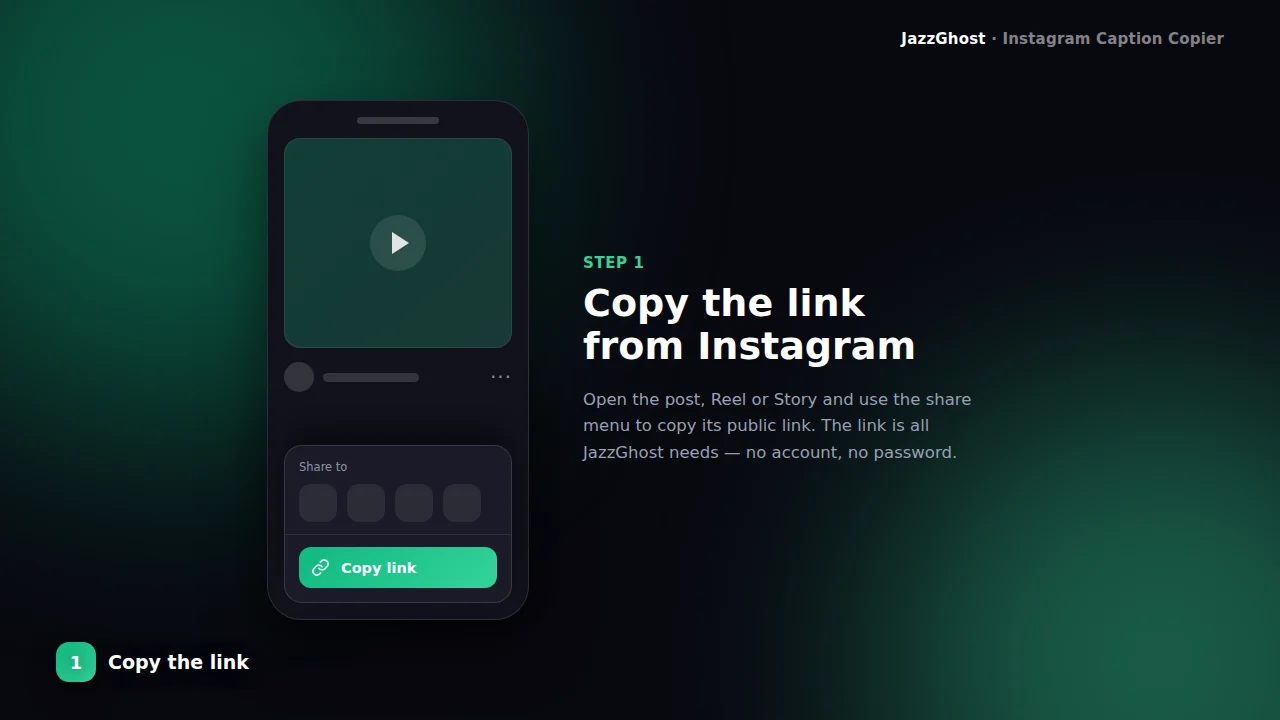
Copy the content link
Open the post or Reel and copy its URL (/p/, /reel/, or /reels/).
- 2
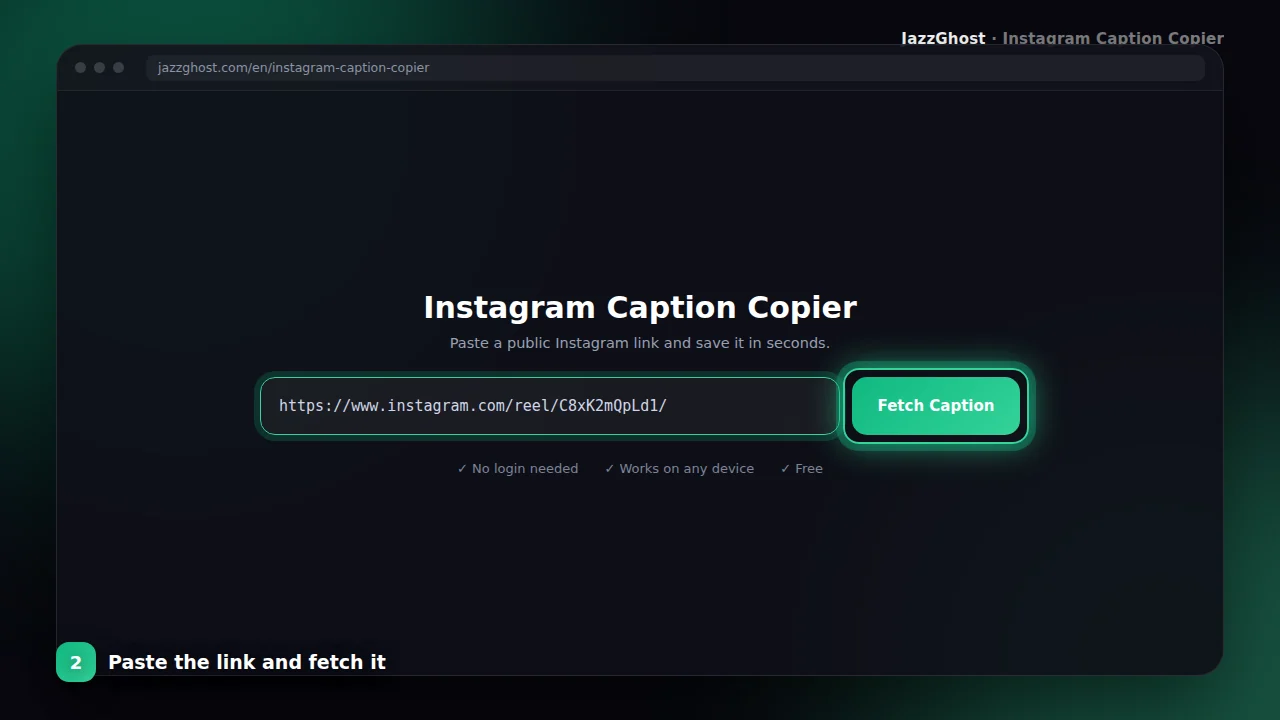
Paste and extract
Paste into the box above and fetch. JazzGhost reads the caption from the public media.
- 3
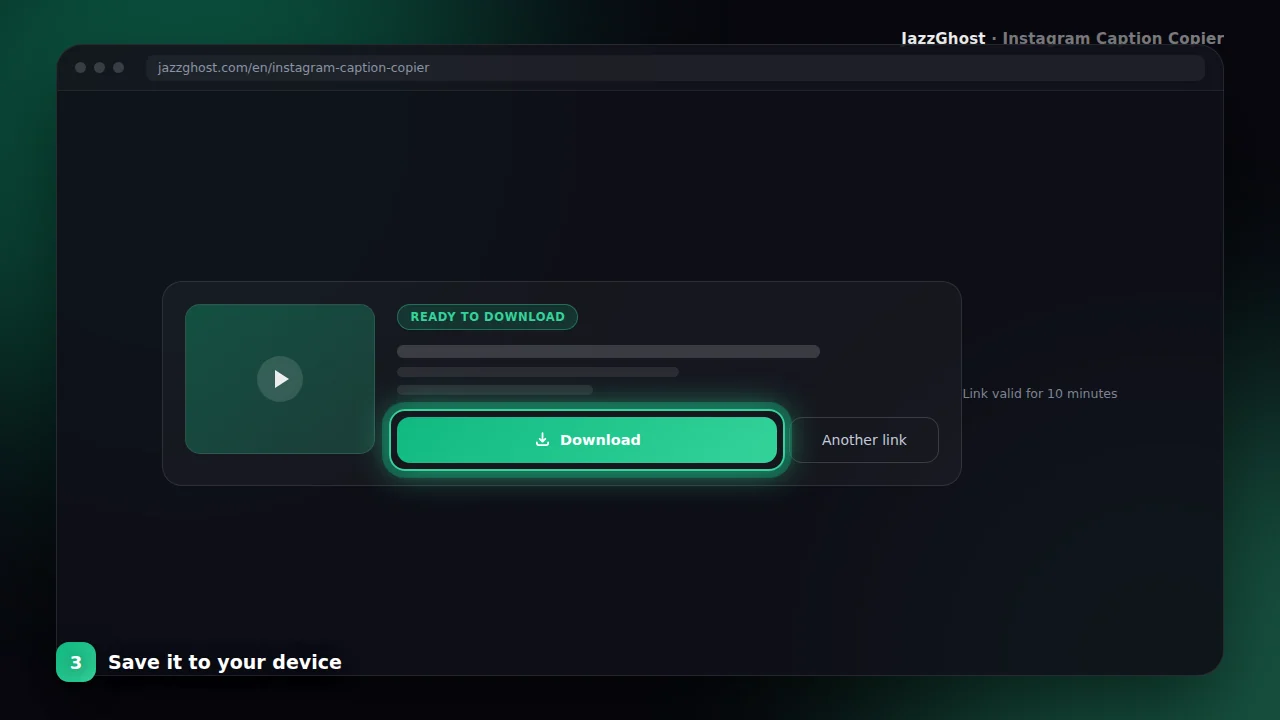
Copy the text
Review the caption and tap Copy to place it on your clipboard for notes or translation.
Step-by-step guide
Copy a caption on iPhone
- 1Copy the post link in Instagram.
- 2Open JazzGhost in Safari, paste the link and fetch the caption.
- 3Tap Copy and the full text is on your clipboard, ready to paste.
Copy a caption on Android
- 1Copy the post link from the Instagram app.
- 2Paste it into JazzGhost and fetch the caption.
- 3Tap Copy to place the text on the clipboard.
Copy a Reel caption
- 1Open the Reel and tap Share → Copy Link.
- 2Paste the link into JazzGhost — the same tool reads Reels as well as posts.
- 3Copy the caption text, hashtags included.
Reuse a caption without retyping it
- 1Fetch the caption you want to work from.
- 2Copy it into your notes or editor.
- 3Edit it in your own words — republishing someone's caption word for word is their text, not yours.
Privacy and safety
Posts & Reels
Works with common /p/ and /reel/ public URLs.
One-click copy
Copy the full caption to your clipboard in a tap.
No media required
Skips heavy video download when you only need text.
Research-friendly
Useful for social listening, translation, and content audits.
What you cannot copy
The copier returns the caption text as published, so its limits follow Instagram's own:
- Captions on private accounts, which are visible only to approved followers.
- Deleted posts and Reels. Once the post is gone the link no longer resolves.
- Text inside an image or video. A caption burned into the picture is not text we can extract.
- Comments. This tool reads the caption, not the comment thread beneath it.
Copier, app, or extension?
Copying text out of an app that blocks selection is the whole problem this tool solves:
| Option | Verdict | Detail |
|---|---|---|
| JazzGhost (browser copier) | Clean copyable text | Returns the caption with hashtags and line breaks intact, ready to paste. Free, no account, nothing installed. |
| Instagram's own app | Selection blocked | Captions cannot be selected or copied, so the practical alternative is reading from a screenshot and retyping. |
| Browser extension | Adds selection | Enables text selection inside Instagram, which works well on a desktop browser - but it installs software and asks for access to the pages you visit. |
Returns the caption with hashtags and line breaks intact, ready to paste. Free, no account, nothing installed.
Captions cannot be selected or copied, so the practical alternative is reading from a screenshot and retyping.
Enables text selection inside Instagram, which works well on a desktop browser - but it installs software and asks for access to the pages you visit.
Troubleshooting tips
JazzGhost never asks for your Instagram login, so copying a caption leaves no trace on your account. The post is read by our server.
Only public posts can be read. Private accounts return a clear message, and the captions you look up are not stored on our side.
Frequently asked questions
Sometimes you only need the words — hooks, CTAs, hashtags — not the media file. The Instagram Caption Downloader extracts caption text from public posts and Reels.
It complements our media downloaders: grab the MP4 with the Reels or Post tools, and pull the copy here for scripts and research.
Captions are returned as plain text. Emoji and line breaks are preserved when Instagram provides them.
Caption downloader FAQ
Why is the caption empty?
The post may have no caption, or the media is private/unavailable. Try another public URL.
Does this download the video too?
No. This tool returns text only. Use the Reels or Post Downloader for media files.
Why can't I copy captions in the Instagram app?
The app does not expose a select-and-copy action on captions, and long captions are truncated behind a 'more' link. A copier gives you the complete text in one step.
Are emojis and line breaks kept?
Yes. The caption is returned as it was written, with its emojis and its original line breaks, so it looks the same when you paste it.
Can I copy the hashtags separately?
The full caption is returned in one block, hashtags included at the end where the author put them. You can select just the hashtag part from there.
Does it work for Reels?
Yes. The same tool reads the caption of a Reel, a photo post, a video post or a carousel — the link format does not matter.
Can I copy captions from private accounts?
No. JazzGhost reads public posts only. A private post cannot be opened, and we do not attempt to bypass that.
Is the Caption Copier free?
Yes, it is completely free and needs no account. A fair daily limit per visitor keeps the service fast for everyone.